
Use onboarding to connect your email, complete the setup Ellie needs, and finish on the dashboard. If some setup is already done, Ellie can skip you ahead to the next relevant step.

Step by step
- Go to /get-started after signing in.
- Start with the email connection step.
- If you want Ellie to work with a connected inbox, complete the connect-email step and continue.
- If you prefer the extension path instead, choose the option to use the extension and continue to /downloads.
- Complete the remaining onboarding steps as they appear:
- survey
- style-learning
- quick-setup
- magic-moment
- auto-drafts
- If a step is optional, use Skip to move on.
- Finish the last step to go to dashboard.
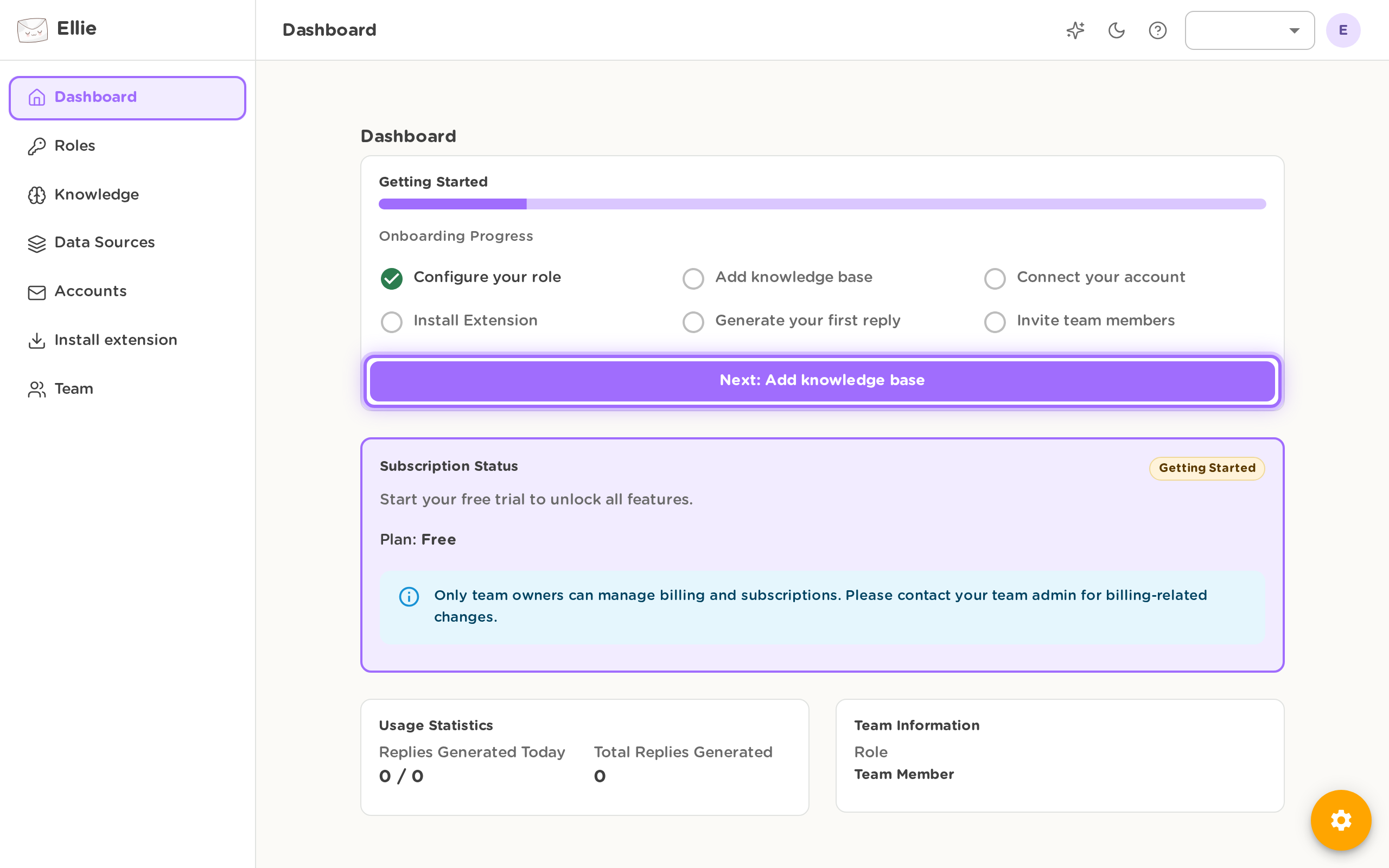

Check your setup on the dashboard
After onboarding, open dashboard to confirm your progress and account status.
- Review the onboarding checklist to see which setup steps are complete and what to do next.
- Depending on your account, the checklist can include:
- Connect Account
- Add Knowledge
- Install Extension
- Generate Reply
- Invite Team
- Some accounts may also include Configure Role.
- Check whether Generate Reply is complete.
- This is marked complete only after at least one reply has been generated.
- Review your current usage information on the dashboard, including:
- replies generated today
- your generated replies limit
- total replies generated
- If you are in a trial, check the trial banner for the number of days remaining.
- Review your subscription status on the dashboard if you need to confirm whether your account is active, trialing, paused, canceled, past due, or has no subscription.
If you leave trial checkout before finishing and your account requires a card to start the trial, Ellie can show a recovery banner on the dashboard so you can restart that step.
Good to know
- Ellie may skip parts of onboarding automatically if you already connected an account, completed the survey, added a style profile, or already finished onboarding.
- Choosing the extension path during the first email connection step ends onboarding and sends you to /downloads. You can connect an account later from Accounts if needed. For the full connected-inbox path, see Connect your inbox & turn on auto-drafts.