
You can upload a structured dataset for Ellie to reference while drafting replies, then update its details or preview its records later.
Step by step
- Open Data Sources.
- Click Upload Dataset.
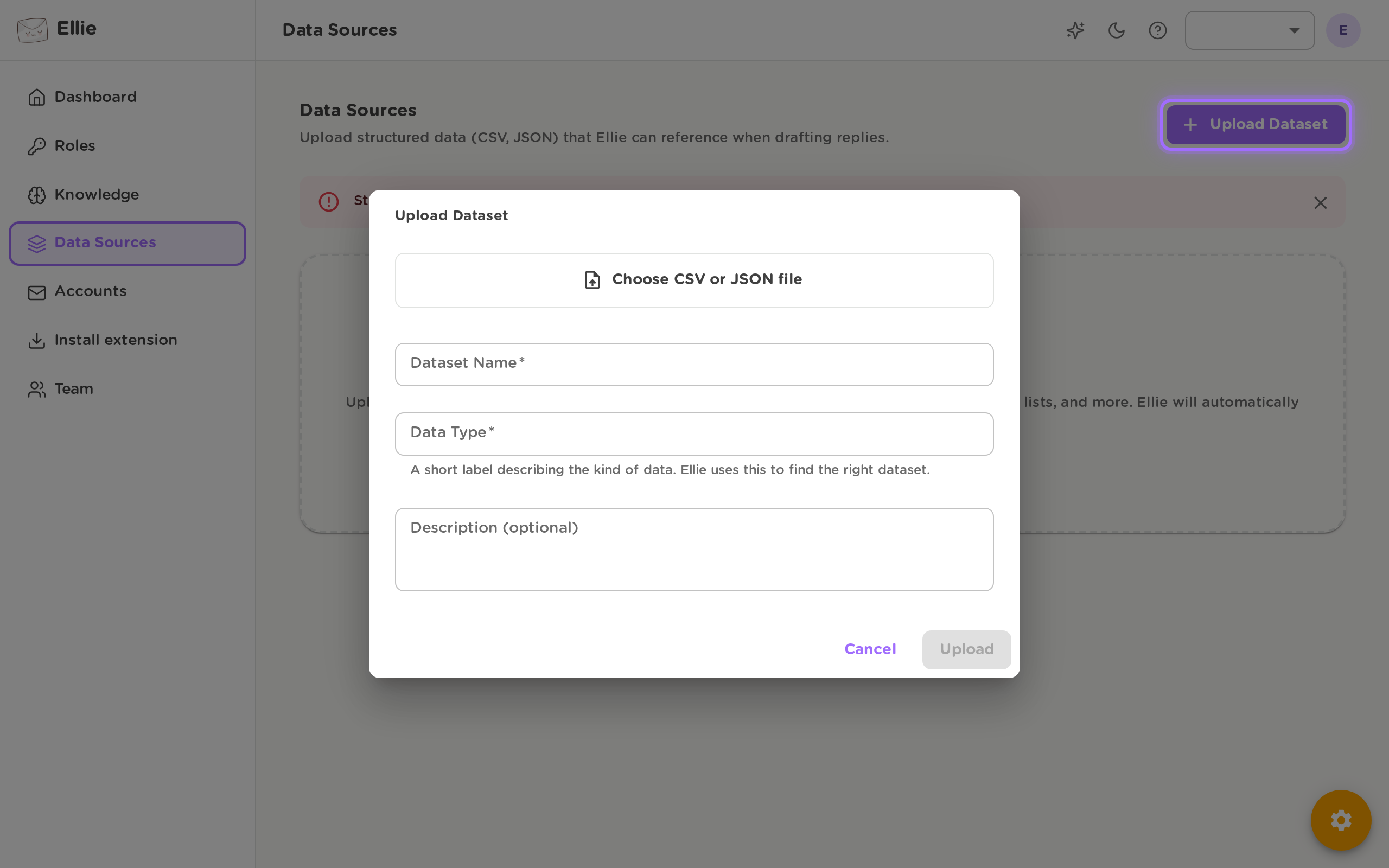
- In the upload dialog:
- Click Choose CSV or JSON file and select your file.
- Enter a Dataset Name.
- Enter a Data Type.
- Optionally add Description (optional).
- Click Upload.
- If you need to change the dataset details later, open Edit Dataset, update Dataset Name, Data Type, or Description, then click Save.
- To review uploaded records, expand the dataset from the list to preview its records.

Deleting a dataset also deletes all of its records, and this cannot be undone.
Good to know
- Structured data is only available on plans that include this feature. If your plan does not include it, you will see: Structured data is not available on your current plan. Please upgrade to access this feature. See Plans & pricing.
- Uploads must be a CSV or JSON file. If the file is missing, invalid, unsupported, or too large, the upload is rejected and you will need to correct the file before trying again.